


How to Index Qdrant Image Data for Vector Search?


Description
Build a repeatable pipeline that turns foldered images in cloud storage into searchable vectors. Teams use it to prepare image libraries for fast search and basic anomaly tests by class. It is ideal for product images, farm photos, or satellite scenes.
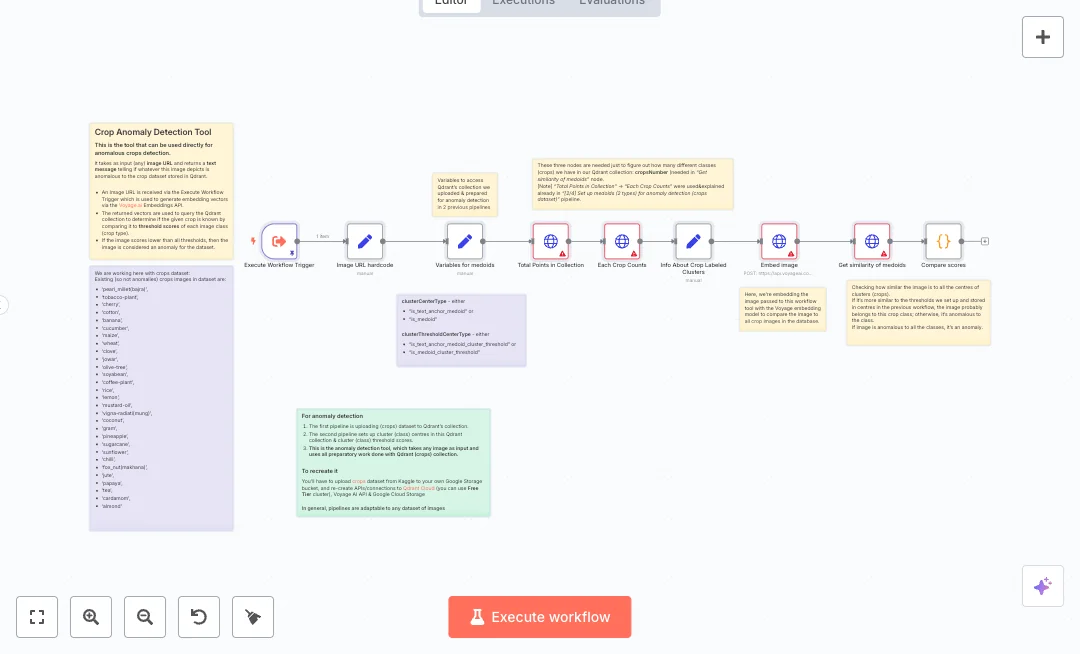
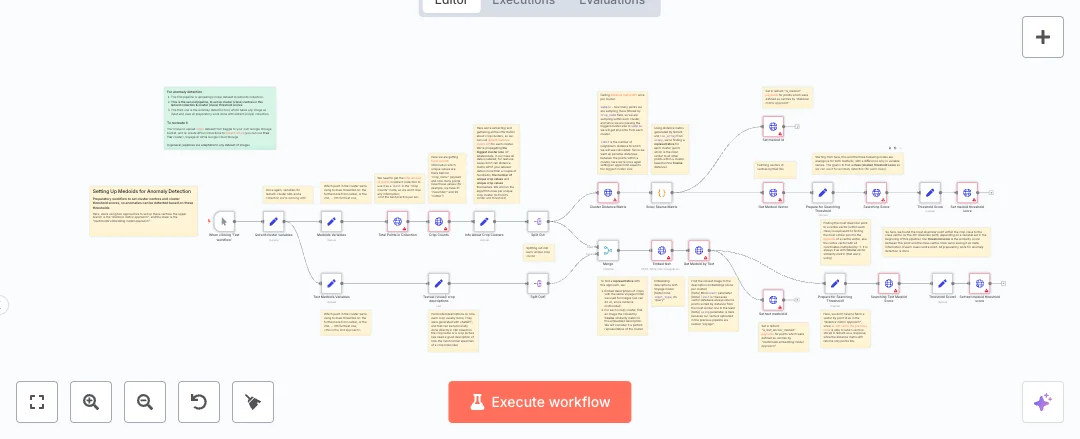
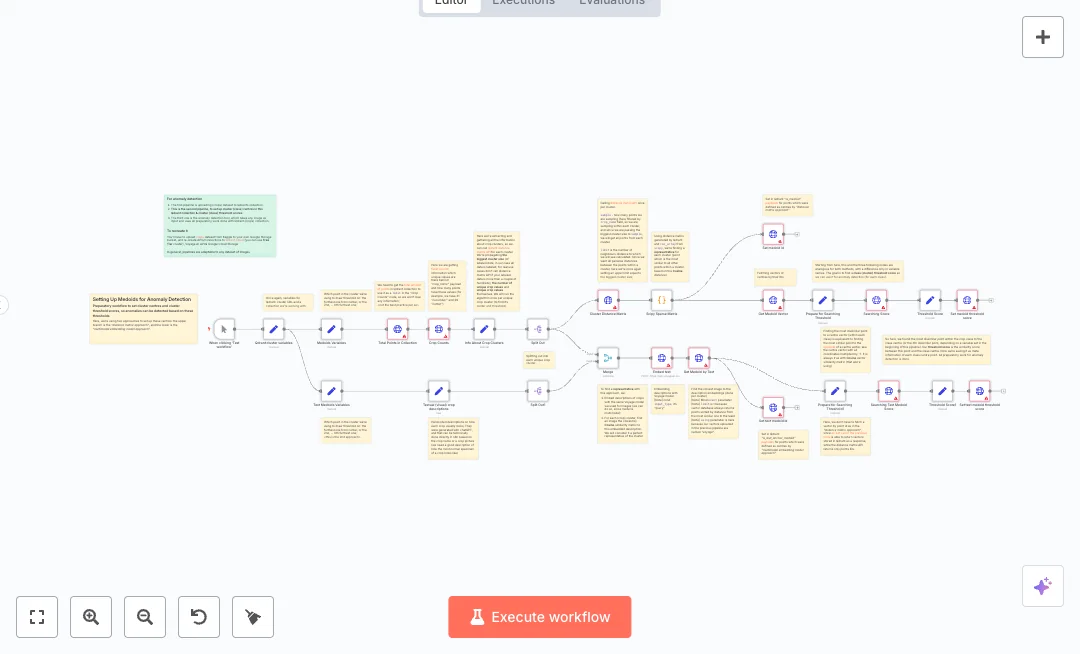
The flow starts on click, sets cluster details, then checks if a collection exists in Qdrant. If not, it creates a new collection with a named vector and a cosine distance, and builds an index on the label field for quick counts. Next it lists images from Google Cloud Storage using a folder prefix, builds public links, and pulls the class name from each folder. A filter removes one class for testing. The data is split into batches, UUIDs are generated, and the payload is shaped for two APIs. Voyage AI creates embeddings for each batch, and the vectors with payloads are uploaded to Qdrant in one call.
Setup needs accounts for Qdrant, Voyage AI, and Google Cloud Storage. You set the cluster URL, collection name, embedding size, batch size, bucket name, and prefix. Expect a clean, scalable index that cuts manual prep and supports thousands of images. Common uses include visual search, catalog checks, and anomaly testing by class.

Tools Required
What this workflow does?
- Manual start to control when indexing runs
- Collection existence check and conditional create to avoid errors on duplicate names
- Payload index on the class field for fast counts and filters in Qdrant
- Google Cloud Storage listing by prefix and automatic public link building
- Label extraction from folder names and an optional class filter for anomaly tests
- Batch splitting and UUID generation for reliable point IDs
- Voyage multimodal embeddings and batch upsert to Qdrant with named vectors
What are the benefits?
- Reduce manual upload and tagging from 4 hours to 15 minutes with batch embedding and batch upsert
- Streamline image vector prep by about 80 percent compared to one by one scripts
- Improve data quality by removing missing IDs and labels with UUIDs and clear payload fields
- Handle thousands of images per run using batching without timeouts
- Connect Google Cloud Storage, Voyage AI, and Qdrant in one flow for simple maintenance
How to set this up?
- Import the template into n8n: Create a new workflow in n8n > Click the three dots menu > Select 'Import from File' > Choose the downloaded JSON file.
- You'll need accounts with Google Cloud Storage, Qdrant and Voyage AI. See the Tools Required section above for links to create accounts with these services.
- In the n8n credentials manager, double click the Google Cloud Storage node and click Create new credential. Choose Google Cloud Storage OAuth2, sign in to your Google account, and grant access to the bucket that holds your images.
- For Qdrant, open any Qdrant HTTP Request node and click Create new credential. Select the Qdrant API credential, paste your Qdrant Cloud URL and API key from your Qdrant dashboard, and save.
- For Voyage AI, open the Embed node, choose HTTP Header Auth, create a new credential, set header name to Authorization and value to Bearer YOUR_VOYAGE_API_KEY. Get the key from the Voyage AI account page.
- Open the Qdrant cluster variables node and set qdrantCloudURL, collectionName, VoyageEmbeddingsDim, and batchSize to match your cluster and model.
- Open the Google Cloud Storage node and set bucketName and the list prefix to the folder that contains your images.
- Ensure your images are accessible via public links. If your bucket is private, allow public read for the objects or switch to signed URLs to let the embedding API fetch the images.
- Run the workflow with the manual trigger. Watch the execution to confirm the collection is created, the payload index on the class field is set, and batches are processed.
- Verify in Qdrant that the collection exists, the vector size matches your model, and points include payload fields like crop_name. Check counts to ensure the filtered class is excluded.
- Troubleshoot common issues: 401 or 403 means fix API keys or permissions, failed image fetch means adjust public access, and collection errors mean review the existence check and variables.
Need help or want to customize this?
Ask in the Free Futurise Community.
Similar Templates
These templates were sourced from publicly available materials across the web, including n8n’s official website, YouTube and public GitHub repositories. We have consolidated and categorized them for easy search and filtering, and supplemented them with links to integrations, step-by-step setup instructions, and personalized support in the Futurise community. Content in this library is provided for education, evaluation and internal use. Users are responsible for checking and complying with the license terms with the author of the templates before commercial use or redistribution.Where an original author was identified, attribution has been provided. Some templates did not include author information. If you know who created this template, please let us know so we can add the appropriate credit and reference link. If you are the author and would like this template removed from the library, email us at info@futurise.com and we will remove it promptly.
