Get Started
Screenshot of n8n workflow
FREE TEMPLATE
Automate Instagram DMs for Lead Response
6
Views
0
Downloads
11
Nodes
Download Template
Free
Preview Template
Utility Rating
7 / 10
Business Function
Marketing
Automation Orchestrator
n8n
Integrations
OpenAI
ManyChat
Instagram
Trigger Type
Webhook
Approx setup time ≈ 45 min
Need help setting up this template?
Ask in our free Futurise community
About
Community
Courses
Events
Members
Templates

How to Automate Instagram DMs for Lead Response?

Leon Petrou
FREE TEMPLATE
Automate Instagram DMs for Lead Response
6
Views
0
Downloads
11
Nodes
Download Template
Free
Preview Template
Utility Rating
7 / 10
Business Function
Marketing
Automation Orchestrator
n8n
Integrations
OpenAI
ManyChat
Instagram
Trigger Type
Webhook
Approximate setup time ≈ 45 minutes
Need help setting up this template?
Ask in our free Futurise community

Description

Turn Instagram direct messages into quick, helpful replies that match your brand voice. Ideal for creators, small shops, and marketing teams that get many DMs and need fast, consistent answers.

Incoming messages arrive through a webhook from your messaging tool to n8n. A Set node holds the system prompt so the AI knows the tone and rules. The AI Agent uses a ChatGPT model and a local memory block that remembers the last 20 messages, so replies follow the same conversation. n8n then sends the answer back to your messaging tool using a response node, which delivers it to Instagram.

You will need access to your messaging platform with a custom action or webhook, plus an OpenAI API key. Edit the prompt to fit your brand and adjust the memory window to control how much context the bot uses. Expect faster response times, more consistent replies, and the ability to handle high DM volume during launches or promos. Common uses include FAQ replies, simple sales questions, and first-touch lead qualification.

Copy link

Tools Required

OpenAI
Sign up
Pay-as-you-go: GPT-5 at $1.25 per 1M input tokens and $10 per 1M output tokens
n8n
Sign up
$24 / mo or $20 / mo billed annually to use n8n in the cloud. However, the local or self-hosted n8n Community Edition is free.
ManyChat
Sign up
Pro (Marketing Automation): starts at $15 / mo; API key and External Request are Pro features
Instagram
Sign up
Free: $0 (no published pricing; API access available at no charge, subject to rate limits)

What this workflow does?

  • Webhook trigger receives Instagram messages from your messaging tool
  • Set node stores a clear system prompt to guide AI tone and rules
  • ChatGPT model node lets you pick the best model for your needs
  • Local memory window keeps the last 20 messages for context
  • AI Agent combines prompt, model, and memory to craft replies
  • Respond to Webhook node returns the answer to your messaging tool
  • Session key support helps link replies to the right conversation

What are the benefits?

  • Reduce manual DM handling from hours per day to minutes
  • Automate up to 80 percent of repeat questions with consistent answers
  • Maintain a steady brand tone using a fixed system prompt
  • Handle 5 to 10 times more DM volume during busy periods
  • Connect Instagram messaging to AI without writing code
  • Improve first response time to under 10 seconds

How to set this up?

  1. Import the template into n8n: Create a new workflow in n8n > Click the three dots menu > Select 'Import from File' > Choose the downloaded JSON file.
  2. You'll need accounts with ManyChat, Instagram and OpenAI. See the Tools Required section above for links to create accounts with these services.
  3. In the n8n credentials manager, create an OpenAI API Key credential. Get your API key from the OpenAI account dashboard under API keys. Name the credential clearly, such as OpenAI Prod.
  4. Open the ChatGPT model node and select your OpenAI credential from the Credential to connect with dropdown. Choose the model you want to use.
  5. Open the Getting message from Instagram webhook node. Copy the Production URL. Keep response mode as response node so the reply returns through the Respond node.
  6. In ManyChat, create a Custom Action that calls the n8n Production URL with HTTP POST. Send JSON fields that include chatInput for the incoming message text and sessionId for a unique user or thread id.
  7. Map the message text in ManyChat to chatInput and pass a stable sessionId, such as the user id, so memory keeps the conversation linked.
  8. Open the Set your system promt for AI node. Edit the prompt value to match your brand voice, product info, and rules for what the bot should or should not say.
  9. Open the Local n8n memory node and adjust the context window length if needed. A value near 20 keeps recent context without using too many tokens.
  10. Activate the workflow in n8n. In ManyChat, publish your flow and run a test by sending a DM from your Instagram account. Check n8n Executions to confirm the request and the returned response.
  11. Troubleshooting: If ManyChat shows an error, verify the Respond to Webhook node is connected and returns a 200 status. If replies look off, refine the system prompt or reduce the memory window. If no text returns, confirm chatInput and sessionId field names match what the AI Agent expects.

Need help or want to customize this?

Similar Templates

n8n
Marketing
Automate Instagram Comment Engagement
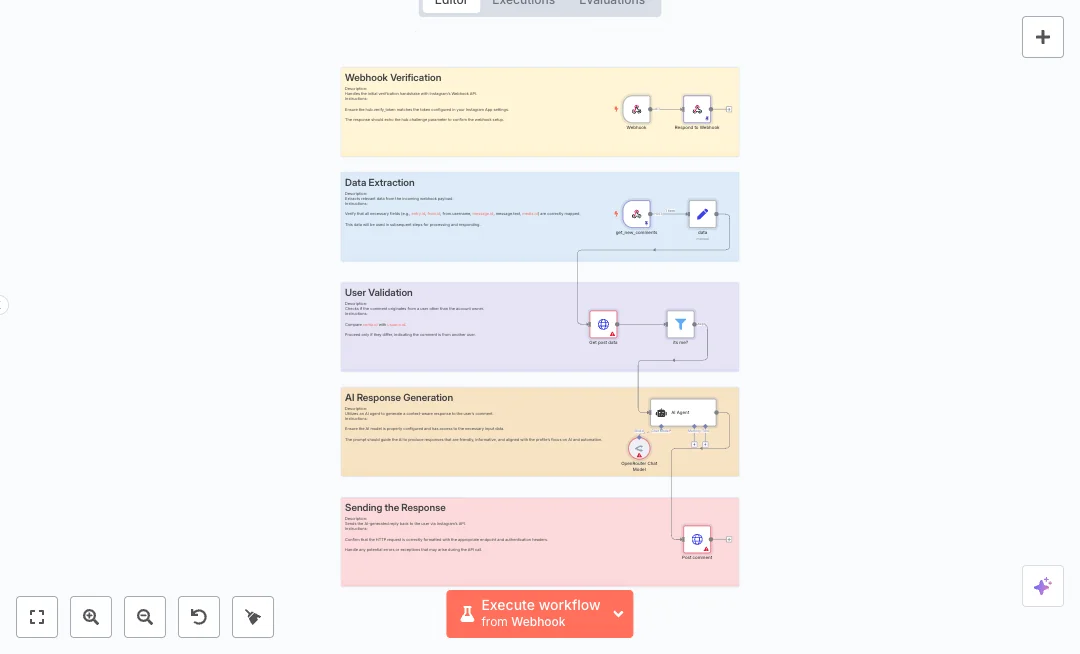
Turn Instagram comments into quick, human style replies powered by AI. This setup helps social media teams keep conversations going under posts without watching the feed all day. It is great for brands, creators, and agencies that want faster engagement. New comment events arrive through a secure webhook. A response step confirms the Meta handshake by echoing the challenge token. The flow then maps key fields, fetches the post caption from Instagram Graph, and checks that the comment did not come from the account owner. A Set step organizes user id, username, message id, message text, and media id. A Filter node named its me prevents self replies. A request to the Instagram Graph API v22.0 returns the caption for extra context. The AI Agent uses OpenRouter to write a friendly reply that fits an AI and automation profile. An HTTP call posts the response back under the original post. Setup needs an Instagram Graph access token, a verified webhook, and an OpenRouter API key. Expect shorter reply times, a steady brand tone, and the ability to handle a larger comment volume with the same team. Add this when you run launches, promotions, and posts where many people ask similar questions. In Meta App settings, use the same verify token as in n8n. Map fields to match your exact payload and adjust the prompt to your voice. Test with a real comment and fine tune phrasing as needed.
1 views
view
n8n
Marketing
Automate Instagram Trend Content Publishing
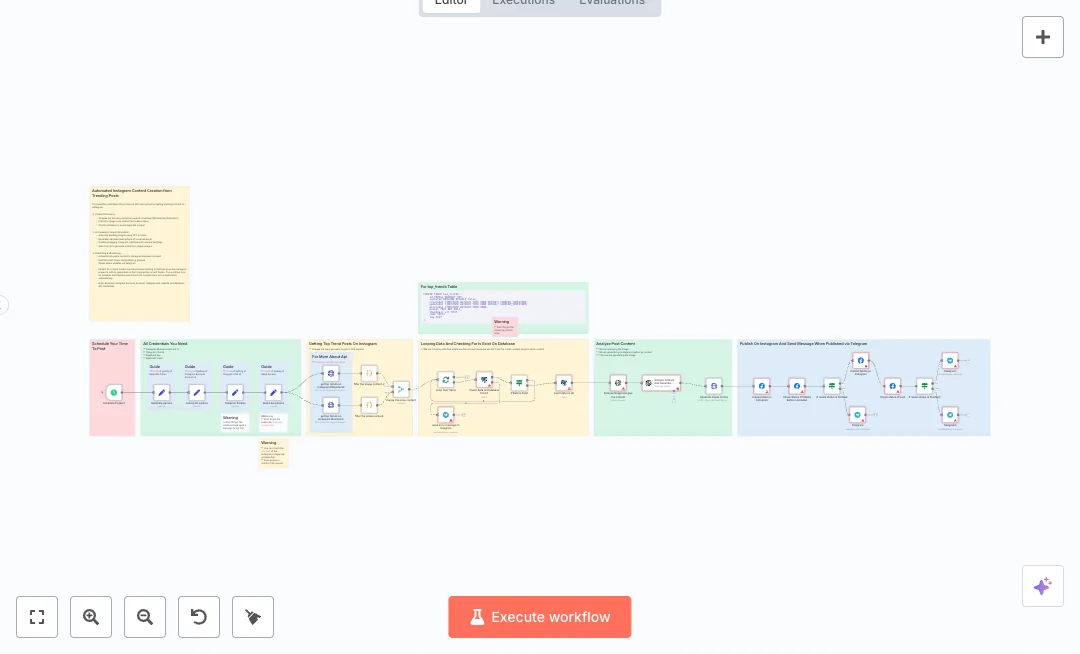
Post fresh Instagram content from trending topics without manual work. Ideal for social media teams and creators who want steady posts based on what people are engaging with. You get scheduled posts, no duplicates, and instant status alerts in Telegram. Twice a day a schedule runs, pulls top posts for two hashtags from a RapidAPI Instagram scraper, filters out videos, and merges results. Each item is checked against a PostgreSQL table to avoid reposting the same content. When a new item is found, OpenAI analyzes the image text to shape a caption, Replicate generates a matching image, and the Facebook Graph API prepares and publishes to your Instagram Business account. The workflow watches media status and sends Telegram messages for success or errors. Setup needs an Instagram Business account, a Telegram bot and chat ID, a RapidAPI key, an OpenAI key, a Replicate token, and a reachable PostgreSQL database. Expect less time spent hunting for ideas and scheduling posts. This is useful for brands that post visual content and want a steady, trend led pipeline with AI help and clear alerts.
10 views
view
n8n
Marketing
Automate Instagram AI Trend Posting
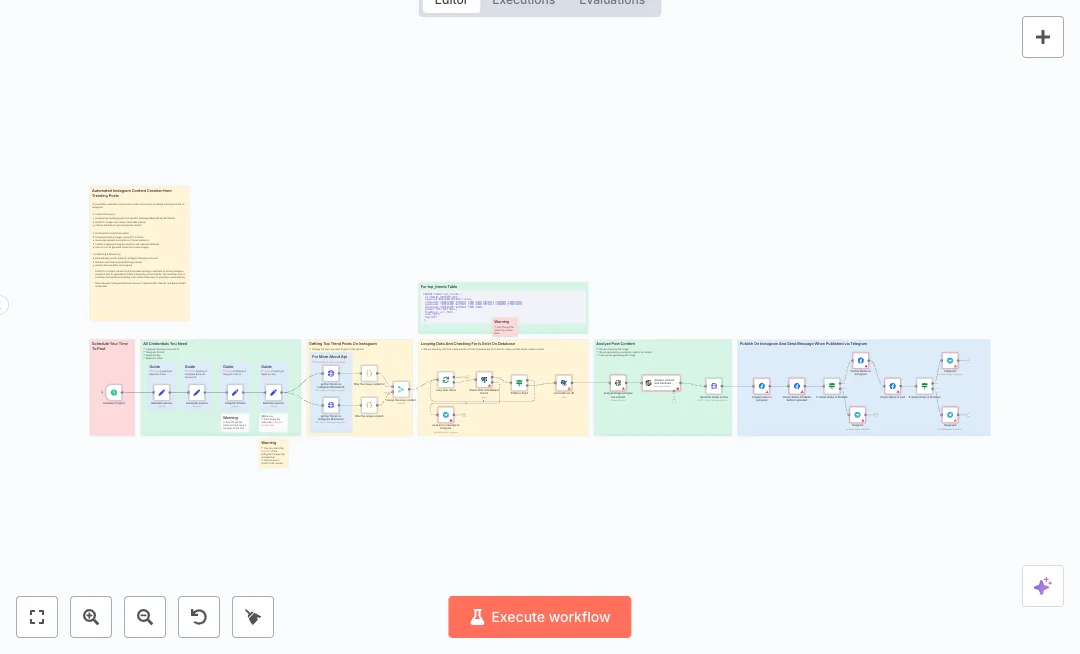
Post fresh Instagram content on a set schedule without manual work. The system watches trending hashtags, turns ideas into an AI image and caption, and publishes from your business account. Teams that need steady social output and quick alerts will find it useful. Two daily runs start on a schedule. The flow gets top posts for chosen hashtags from RapidAPI, filters to image posts, and merges two feeds. A Postgres check prevents duplicates before anything moves forward. OpenAI writes the caption and Replicate renders the image. The Facebook Graph API creates and publishes the media after status checks, while Telegram sends success or failure alerts. Setup needs an Instagram Business account with Facebook Graph access, a PostgreSQL database, a RapidAPI key, a Replicate token, an OpenAI key, and a Telegram chat id. Expect daily content with less busy work, no repeat posts, and clear status updates. Good for social teams, creators, and small agencies that want reliable posting from real trends.
0 views
view
See More Templates

These templates were sourced from publicly available materials across the web, including n8n’s official website, YouTube and public GitHub repositories. We have consolidated and categorized them for easy search and filtering, and supplemented them with links to integrations, step-by-step setup instructions, and personalized support in the Futurise community. Content in this library is provided for education, evaluation and internal use. Users are responsible for checking and complying with the license terms with the author of the templates before commercial use or redistribution.Where an original author was identified, attribution has been provided. Some templates did not include author information. If you know who created this template, please let us know so we can add the appropriate credit and reference link. If you are the author and would like this template removed from the library, email us at info@futurise.com and we will remove it promptly.