Get Started
Screenshot of n8n workflow
FREE TEMPLATE
Automate Google Search Market Research
9
Views
0
Downloads
12
Nodes
Download Template
Free
Preview Template
Utility Rating
6 / 10
Business Function
Marketing
Automation Orchestrator
n8n
Integrations
Webhook.site
Google Gemini
Bright Data
Trigger Type
Manual trigger
Approx setup time ≈ 45 min
Need help setting up this template?
Ask in our free Futurise community
About
Community
Courses
Events
Members
Templates

How to Automate Google Search Market Research?

Leon Petrou
FREE TEMPLATE
Automate Google Search Market Research
9
Views
0
Downloads
12
Nodes
Download Template
Free
Preview Template
Utility Rating
6 / 10
Business Function
Marketing
Automation Orchestrator
n8n
Integrations
Webhook.site
Google Gemini
Bright Data
Trigger Type
Manual trigger
Approximate setup time ≈ 45 minutes
Need help setting up this template?
Ask in our free Futurise community

Description

Get search insights without copy and paste. The flow pulls Google results, removes clutter, and sends a short, structured summary to a webhook. It helps marketing teams check brands, competitors, and topics fast.

When you click Test workflow, a set step stores the search term and your Bright Data zone. The flow calls the Bright Data API to fetch the raw Google results. An extractor removes HTML and scripts and keeps plain text only. A Google Gemini model builds a clear summary using a summarization chain. An AI agent then formats the data and posts a JSON payload to your webhook with fields like search_summary and search_result. You can feed this into chat tools, dashboards, or a database.

Before running, update the search query, the Bright Data zone, and the webhook URL. You need a Bright Data token and a Google Gemini API key. Expect research time to drop from around thirty minutes to a few minutes per topic. Common uses include brand monitoring, weekly competitor checks, and topic validation for content planning. The setup is simple, the output is clean, and the results are easy to share across the team.

Copy link

Tools Required

Webhook.site
Sign up
Free tier: $0, public API available; free URLs expire after 7 days and accept up to 100 requests
n8n
Sign up
$24 / mo or $20 / mo billed annually to use n8n in the cloud. However, the local or self-hosted n8n Community Edition is free.
Google Gemini
Sign up
Free tier: $0 via Gemini API; e.g., Gemini 2.5 Flash-Lite free limits 1,000 requests/day (15 RPM, 250k TPM). Paid from $0.10/1M input tokens and $0.40/1M output tokens.
Bright Data
Sign up
Pay as you go: $1.5 per 1K records (Web/LinkedIn Scraper API)

What this workflow does?

  • Manual test trigger lets you run on demand for any topic
  • Set node stores the search query and Bright Data zone for clean control
  • HTTP Request calls Bright Data to fetch raw Google search results
  • Information Extractor removes HTML, CSS, and scripts to keep plain text
  • Summarization Chain uses a Google Gemini model to create a short brief
  • AI Agent formats results and sends JSON to a webhook using an HTTP tool
  • Configurable webhook URL and payload fields search_summary and search_result
  • Multiple Gemini nodes allow separate control of summarization and agent output

What are the benefits?

  • Reduce manual SERP research from 30 minutes to 3 minutes per query
  • Automate up to 80 percent of repetitive search review work
  • Improve consistency of summaries by using the same prompt every time
  • Handle 10 times more search topics with the same team size
  • Send results to any system that accepts webhooks for easy reporting

How to set this up?

  1. Import the template into n8n: Create a new workflow in n8n > Click the three dots menu > Select 'Import from File' > Choose the downloaded JSON file.
  2. You'll need accounts with Bright Data, Google Gemini and Webhook.site. See the Tools Required section above for links to create accounts with these services.
  3. In Bright Data, create or locate your zone for web scraping and copy your API token. Keep this safe.
  4. In Google AI Studio, create a Google Gemini API key. Copy the key for later use.
  5. Open Webhook.site and copy your unique URL. This will receive the final JSON.
  6. In n8n, double click the Perform Google Search Request node. In the Credential to connect with dropdown, click Create new credential, choose HTTP Header Auth, and add your Bright Data token as required. Give the credential a clear name.
  7. Double click each Google Gemini model node. In the Credential to connect with dropdown, click Create new credential, choose the Google Gemini PaLM API credential, and paste your API key. Use the same credential for all Gemini nodes.
  8. Open the Set Google Search Query node and update search_query with your topic and zone with your Bright Data zone name.
  9. Open the Webhook HTTP Request node and replace the URL with your Webhook.site URL. Keep the POST method and the JSON body fields search_summary and search_result.
  10. Click Test workflow to run. In Webhook.site, confirm a request arrives with the summary and results. If empty, check the extractor and summarization steps in the execution log.
  11. If you see 401 or 403 errors, verify the Bright Data token and zone. If the agent output is too long, adjust the prompt inside the Google Search Expert AI Agent node to shorten the response.

Need help or want to customize this?

Similar Templates

n8n
Marketing
Generate YouTube Shorts from Google Sheets
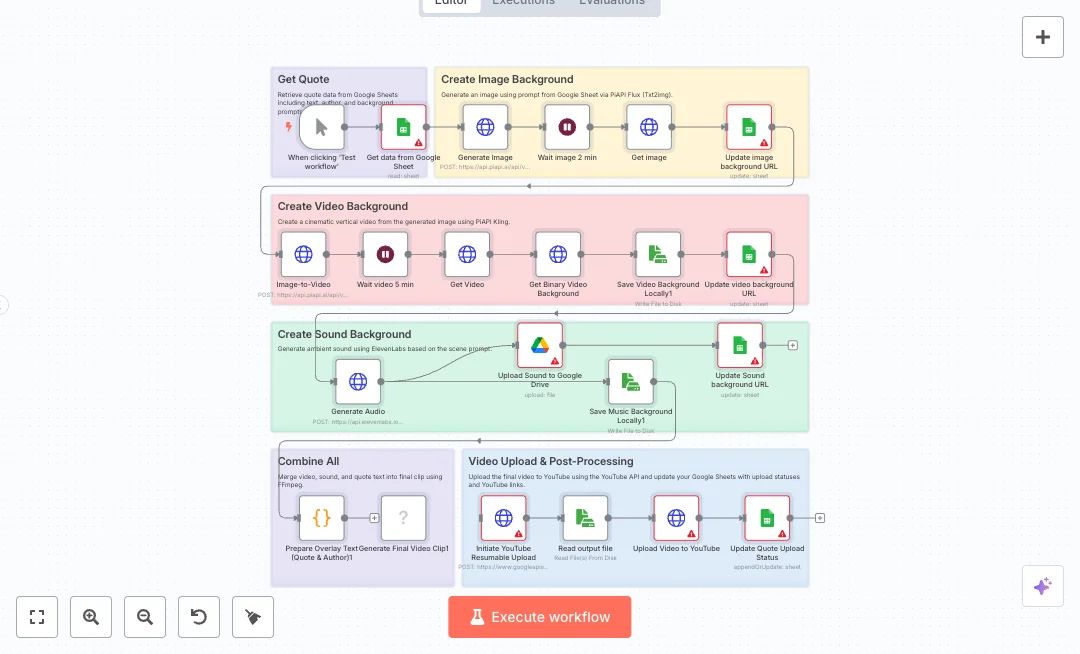
Create short videos for YouTube by pulling a quote and creative prompts from Google Sheets, building the background image and video with AI, adding ambient sound, and publishing the final clip to your channel. Great for social teams and creators who want steady content without manual editing. A manual start reads one row from Google Sheets with the quote, author, and scene prompts. The flow calls an image model to render a vertical image, waits, then writes the image link back to the sheet. It then sends that image to a video model to produce a cinematic vertical clip, waits again, downloads the file, and records the video link in the sheet. Audio is generated with a voice and sound service, stored to Google Drive, and the drive link is saved. A code node formats overlay text, then FFmpeg merges video, audio, and on screen text into a final MP4. The clip uploads to YouTube with a resumable upload, and the sheet is updated with status and the YouTube link. You will need API keys for the AI services, Google and YouTube OAuth, and FFmpeg installed on the n8n host. Expect one run to replace hours of editing with a repeatable system managed from a spreadsheet. Ideal for daily quotes, quick tips, or listicle shorts driven by your sheet.
13 views
view
n8n
Marketing
Automate Google Drive Resume Q&A
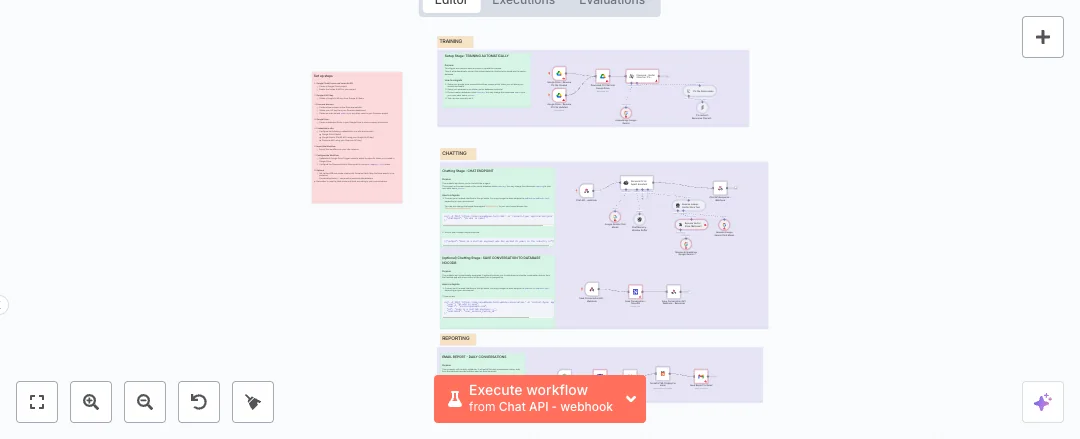
Turn a resume in Google Drive into a smart chat that answers questions and sends a daily email report. Ideal for personal sites, career pages, or portfolios that want simple Q&A and clear insights without manual updates. When a file is added or changed in a chosen Google Drive folder, the text is split into chunks, embedded with Google Gemini, and stored in Pinecone. A public chat webhook lets visitors ask questions. The agent uses the vector store, a memory buffer, and the Gemini chat model to give grounded answers. A separate webhook can save conversation logs to NocoDB. Each day on schedule, the workflow pulls today’s conversations, groups them by session and email, formats them as HTML, and emails a summary from Gmail. Setup needs Google Drive, Gmail, Pinecone, Google Gemini, and NocoDB credentials in n8n. Expect less manual work, faster updates when the resume changes, and one clear email summary at the end of the day. Use it for personal branding, HR portfolios, or team pages that need quick, accurate answers based on the latest resume content.
60 views
view
n8n
Marketing
Sync WordPress to Google Drive Content Reports
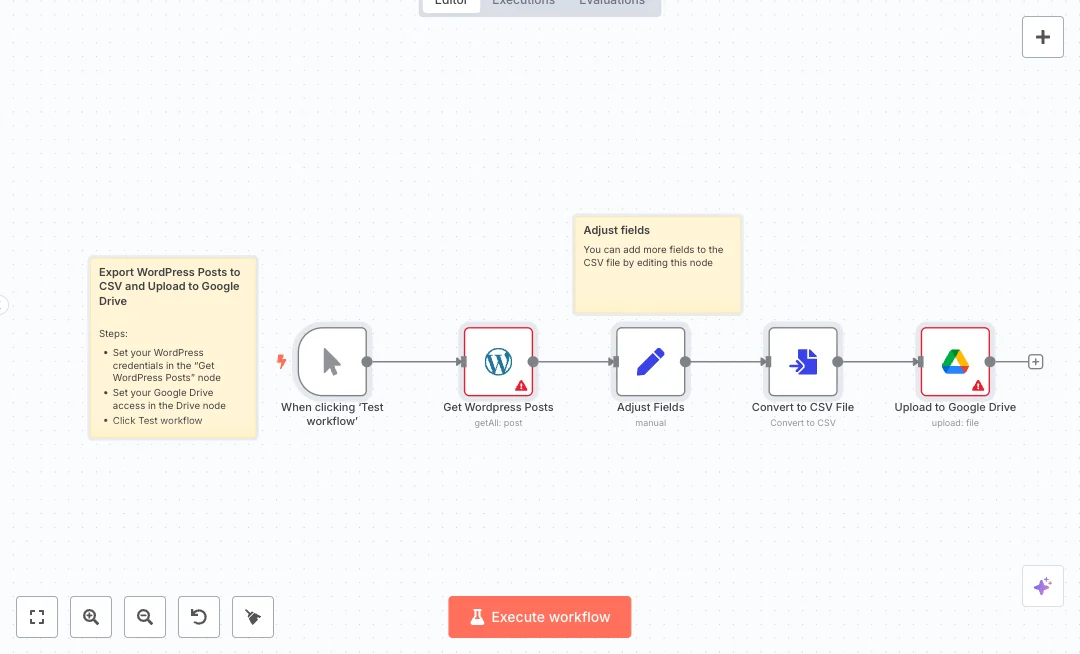
Content teams often need a fresh list of live posts for reports and audits. This setup pulls all published posts from WordPress and saves a clean CSV file straight to Google Drive. It is ideal for marketers, editors, and agencies that want quick exports without copy and paste. Under the hood, a manual trigger starts the run. The workflow fetches all published posts from WordPress, then uses a field mapping step to keep only the columns you want, like id and title. Next it turns the result into a CSV file and uploads it to your chosen Google Drive folder using a service account. You get a consistent file that is ready for Google Sheets, with only live content included, and the same format every time. You will need WordPress access and a Google Drive account with a service account set up. Connect both in n8n, select the fields you care about in the Adjust Fields step, and click Test to generate your first export. Expect a ready file in minutes and a big cut in manual work. This is great for monthly content reviews, SEO audits, campaign summaries, and client deliverables.
11 views
view
See More Templates

These templates were sourced from publicly available materials across the web, including n8n’s official website, YouTube and public GitHub repositories. We have consolidated and categorized them for easy search and filtering, and supplemented them with links to integrations, step-by-step setup instructions, and personalized support in the Futurise community. Content in this library is provided for education, evaluation and internal use. Users are responsible for checking and complying with the license terms with the author of the templates before commercial use or redistribution.Where an original author was identified, attribution has been provided. Some templates did not include author information. If you know who created this template, please let us know so we can add the appropriate credit and reference link. If you are the author and would like this template removed from the library, email us at info@futurise.com and we will remove it promptly.